Loop Engineering in Claude Code: The Four Loop Patterns
TL;DR
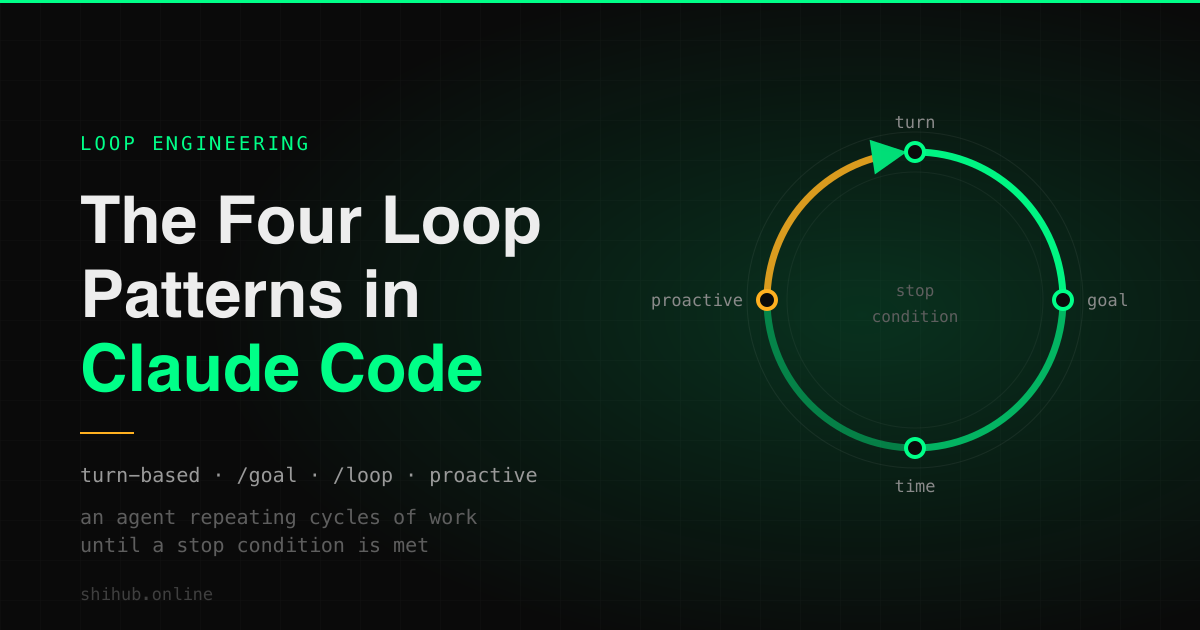
Claude Code has four loop patterns: turn-based, goal-based (/goal), time-based (/loop and /schedule), and proactive routines. Which to use when, and how to make a loop actually finish.
Loop Engineering in Claude Code: The Four Loop Patterns
On July 24, 2026 I sat in on Anthropic's live session on loop engineering, run by Mark Nowicki, Member of Technical Staff on the Applied AI team. The premise was narrow: Claude Code gives you four loop patterns, and the skill worth having is knowing which one fits the job in front of you.
I've been running Claude Code as a one-person engineering department for months (the solo founder setup, the orchestrator/worker split), so I went in expecting a refresher. It wasn't. Below is the model I walked out with, along with the exact syntax, the ways loops go wrong, and recipes you can paste into your own repo.
What a loop actually is
The Claude Code team defines a loop as an agent repeating cycles of work until a stop condition is met.
Short sentence, three real decisions inside it. Something has to start the next cycle, and that trigger is what separates the four patterns. Something has to end it, because a loop with no terminating condition is just a leak. And something has to judge whether the condition holds, which is the second thing separating the patterns.
Worth noticing before we go further: you already run loops all day. Every prompt you send starts a manual one where you are the trigger, the evaluator, and the stop condition at the same time. Loop engineering is mostly about deciding which of those three jobs to hand over.
The four patterns at a glance
| Pattern | Triggered by | Stops when | Reach for it when |
|---|---|---|---|
| Turn-based | Your prompt | Claude judges the task complete or needs more context | Short tasks outside a repeatable process |
Goal-based (/goal) | The previous turn finishing | An evaluator model confirms your condition, or a turn cap is hit | The work has a verifiable end state |
Time-based (/loop, /schedule) | A time interval elapsing | You cancel it, or the work completes | Recurring work, or waiting on an external system |
| Proactive (routines) | An event or schedule, no human present | Each task exits on its goal; the routine runs until disabled | A well-defined recurring work stream |
The list is really a scale of how much of the loop you're still holding yourself. All of it at the top, none of it at the bottom. Most day-to-day engineering belongs in the middle two, which is where I'd been underinvesting.
Pattern 1: Turn-based loops
Trigger: you send a prompt. Stop: Claude decides it's finished, or it needs something from you.
This is the default, and there's nothing wrong with it. Turn-based is right when the task is short, one-off, and not part of a process you'll repeat: a bug you're actively reasoning about, an unfamiliar corner of the codebase, anything where your judgment is genuinely part of each cycle.
The lever here is turn count. Every turn costs tokens and wall-clock time, so you want fewer, better turns.
Be specific up front. "Fix the flaky test in test/auth/session.test.ts, it fails on CI but passes locally" saves three or four turns of discovery over "tests are broken". Encode verification as a skill, so Claude stops handing you half-done work that costs another turn to reject. Point at files and commands directly instead of making Claude hunt for them.
When you catch yourself typing the same sequence of turns a third time, that's your signal to move to a different pattern. The repetition is the tell.
Pattern 2: Goal-based loops with /goal
Trigger: the previous turn finishing. Stop: an evaluator model confirms your condition, or your turn cap is reached.
/goal is the pattern I'd been underusing, and it's now the one I reach for most. You set a completion condition and Claude keeps working toward it without you prompting each step. Requires Claude Code v2.1.139 or later.
/goal all tests in test/auth pass and the lint step is clean
Setting a goal starts a turn immediately, using the condition itself as the directive, so there's no separate prompt to send. While it runs, a ◎ /goal active indicator shows how long it's been going.
How the evaluator works, and why that matters
This is the mechanism worth understanding properly. /goal is a wrapper around a session-scoped prompt-based Stop hook. Each time Claude finishes a turn, the condition and the conversation so far get sent to your configured small fast model, Haiku by default. That model returns a yes-or-no decision and a short reason. A "no" sends Claude back to work with the reason as guidance for the next turn. A "yes" clears the goal and records an achieved entry in the transcript.
Two things follow from that design.
First, completion is judged by a fresh model rather than the one doing the work. That's deliberate. The model that just spent six turns on a refactor is a poor judge of whether the refactor is done, because it has six turns of sunk cost riding on the answer. A separate evaluator doesn't.
Second, the evaluator does not call tools. It can't run your test suite, read your files, or check your build. It can only judge what Claude has already surfaced in the conversation.
That second point is behind most goals that misbehave, and it dictates how you write conditions.
Writing a condition that actually terminates
Write the condition as something Claude's own output can demonstrate. "All tests in test/auth pass" works, because Claude runs the tests and the result lands in the transcript for the evaluator to read. "The auth module is well-structured" doesn't, because nothing Claude prints can settle it.
A condition that survives many turns usually has three parts:
- One measurable end state. A test result, a build exit code, a file count, an empty queue.
- A stated check. How Claude should prove it: "
npm testexits 0", "git statusis clean". - Constraints that matter. What must not change on the way there: "no other test file is modified".
Conditions can run to 4,000 characters. Use them. A long, precise condition is cheaper than fifteen wasted turns.
To bound the run, put the budget inside the condition:
/goal every call site of the old fetchUser() API is migrated to getUser(), the build passes, and npm test exits 0, or stop after 20 turns
Claude reports progress against that clause each turn, and the evaluator judges it from the conversation.
Managing a running goal
/goal
Run it with no arguments to see the condition, how long it's been running, how many turns have been evaluated, current token spend, and the evaluator's most recent reason. That last field is the debugging tool. It tells you exactly what Claude thinks is still missing.
/goal clear
Clears an active goal before its condition is met. stop, off, reset, none, and cancel all work as aliases. Running /clear to start a new conversation drops any active goal too.
A goal still active when a session ends gets restored when you resume with --resume or --continue, but the turn count, timer, and token baseline all reset. Worth knowing before you resume a session with an expensive goal attached.
Goals without a terminal
/goal works in non-interactive mode, in the desktop app, and through Remote Control. Setting a goal with -p runs the loop to completion in one invocation:
claude -p "/goal CHANGELOG.md has an entry for every PR merged this week"
With default text output nothing prints until the condition is met, so a long goal looks frozen. Add --output-format stream-json --verbose to emit each message as it runs. Ctrl+C interrupts.
The permissions gotcha
A goal does not change permissions. In default permission mode, Claude still asks before tool calls your settings don't already allow, including the test command in your condition. A goal set at midnight and left alone will sit on a permission prompt until morning. I learned this the boring way.
Pair /goal with auto mode for unattended runs. The two do different jobs and you usually want both: auto mode approves tool calls within a single turn but doesn't start a new one, while /goal starts new turns but doesn't approve tools. Auto mode removes per-tool prompts, /goal removes per-turn prompts.
One more requirement. /goal only runs in workspaces where you've accepted the trust dialog, since the evaluator is part of the hooks system. It's unavailable when disableAllHooks is set at any level, or allowManagedHooksOnly is set in managed settings. In each case the command tells you why rather than failing quietly.
Pattern 3: Time-based loops with /loop and /schedule
Trigger: a time interval elapsing. Stop: you cancel it, or the work completes (the PR merges, the queue empties).
Goals are for work you control end to end. Time-based loops are for work that depends on something outside your session: CI, a deployment, a reviewer, a long build. You can't write a condition against state you don't own, so you poll instead.
/loop 5m check my PR, address review comments, and fix failing CI
/loop is a bundled skill, and both the interval and the prompt are optional. What you supply determines how it behaves:
| What you provide | Example | What happens |
|---|---|---|
| Interval and prompt | /loop 5m check the deploy | Runs on a fixed cron schedule |
| Prompt only | /loop check the deploy | Runs at an interval Claude picks each iteration |
| Interval only, or nothing | /loop | Runs the built-in maintenance prompt, or your loop.md |
Fixed intervals
Supply an interval and Claude converts it to a cron expression, schedules the job, and confirms the cadence plus a job ID. The interval can lead as a bare token (30m) or trail as a clause (every 2 hours). Units are s, m, h, d.
Seconds round up to the nearest minute, since cron has one-minute granularity. Intervals that don't map to a clean cron step, like 7m or 90m, get rounded to one that does, and Claude tells you what it picked.
You can pass a skill as the prompt (/loop 20m /review-pr 1234) to re-run that skill each iteration. As of v2.1.196, a scheduled fire only runs skills Claude is allowed to invoke on its own. Built-in commands like /permissions, /model, or /clear, skills marked disable-model-invocation: true (including the bundled /verify and /code-review), skills withheld by skillOverrides or a Skill deny rule, and MCP prompts all arrive as plain text instead of executing. If you don't know that rule, those iterations look like they did nothing.
Self-paced loops
Omit the interval and Claude chooses one dynamically instead of running on a fixed schedule. After each iteration it picks a delay between one minute and one hour based on what it just observed: short waits while a build is finishing or a PR is active, longer ones when nothing is pending. The chosen delay and the reason both print at the end of each iteration.
/loop check whether CI passed and address any review comments
For anything whose tempo changes, which is most things, this beats a fixed interval. A fixed 2m loop on a PR that goes quiet for an hour is thirty wasted iterations.
There's a better option still when it applies. For a dynamic schedule, Claude may use the Monitor tool directly. Monitor runs a background script and streams each output line back, which avoids polling altogether and is both cheaper in tokens and more responsive than re-running a prompt on a timer. If you can express your wait as "watch this stream", do that.
Stopping a loop
Press Esc while a /loop is waiting for its next iteration. That clears the pending wakeup so it won't fire again. Note the asymmetry: tasks you scheduled by asking Claude directly aren't affected by Esc and stay until you delete them.
In self-paced mode, Claude can end the loop itself once the task is complete, by calling ScheduleWakeup with stop: true, which cancels the pending wakeup immediately. If an iteration ends without either rescheduling or stopping, Claude Code schedules one fallback wakeup about 20 minutes later, then ends the loop if that iteration doesn't reschedule either.
Fixed-interval loops run until you stop them or seven days elapse.
Two safety rails worth knowing about
Jitter. To keep every session from hitting the API at the same wall-clock instant, the scheduler adds a deterministic offset. Recurring tasks fire up to 30 minutes after the scheduled time (or up to half the interval for sub-hourly tasks), so an hourly job set for :00 may fire anywhere up to :30. One-shot tasks at the top or bottom of the hour fire up to 90 seconds early. The offset derives from the task ID, so it's stable per task. If exact timing matters, pick a minute that isn't :00 or :30, so 3 9 * * * rather than 0 9 * * *, and the one-shot jitter won't apply.
Seven-day expiry. Recurring tasks expire seven days after creation: one final fire, then self-delete. That's a deliberate bound on how long a forgotten loop can run, and it's also why session-scoped scheduling shouldn't be your production automation story. A session also caps at 50 scheduled tasks.
One-time reminders and task management
Skip /loop for one-shots and just say it in natural language:
remind me at 3pm to push the release branch
in 45 minutes, check whether the integration tests passed
Claude pins the fire time to a specific minute and hour with a cron expression and confirms. To manage what's scheduled:
what scheduled tasks do I have?
cancel the deploy check job
Under the hood: CronCreate takes a 5-field cron expression, the prompt, and whether it recurs; CronList shows IDs, schedules, and prompts; CronDelete cancels by ID. Each task gets an 8-character ID.
Customizing bare /loop with loop.md
With no prompt, /loop runs a built-in maintenance prompt that works through, in order: continue unfinished work from the conversation, tend to the current branch's PR (review comments, failed CI, merge conflicts), then run cleanup passes like bug hunts or simplification when nothing else is pending. It doesn't start new initiatives outside that scope, and irreversible actions like pushing only proceed when they continue something the transcript already authorized.
You can replace it with your own default via loop.md. Claude checks two paths and uses the first it finds:
| Path | Scope |
|---|---|
.claude/loop.md | Project-level. Wins when both exist. |
~/.claude/loop.md | User-level. Applies where no project file exists. |
It's plain Markdown with no required structure, so write it the way you'd type the prompt:
Check the release/next PR. If CI is red, pull the failing job log,
diagnose, and push a minimal fix. If new review comments have arrived,
address each one and resolve the thread. If everything is green and
quiet, say so in one line.
Edits take effect on the next iteration, so you can refine the instructions while a loop is running. That turned out to be the feature I use most while debugging one. Keep the file under 25,000 bytes; anything beyond that is truncated.
Where the loop actually runs
/loop is session-scoped, which is a real constraint. Three options, with an explicit trade-off between them:
| Cloud (Routines) | Desktop tasks | /loop | |
|---|---|---|---|
| Runs on | Anthropic cloud | Your machine | Your machine |
| Machine must be on | No | Yes | Yes |
| Session must be open | No | No | Yes |
| Survives restarts | Yes | Yes | Restored on --resume if unexpired |
| Local file access | No (fresh clone) | Yes | Yes |
| Permission prompts | No (runs autonomously) | Configurable | Inherits from session |
| Minimum interval | 1 hour | 1 minute | 1 minute |
Use cloud routines for work that must run whether or not your laptop is open, Desktop tasks when you need local files and tools, and /loop for quick polling inside a session you're already in.
Pattern 4: Proactive loops
Trigger: an event or schedule, with no human in the moment. Stop: individual tasks exit when their goals are met; the routine runs until you disable it.
This is the composite pattern, and it's less a feature than an assembly: /schedule for the trigger, /goal for the exit condition, skills for repeatable procedure, dynamic workflows for fan-out, and auto mode so nothing blocks on a permission prompt.
/schedule every hour: check #project-feedback for bug reports. /goal: don't stop until every report found this run is triaged, actioned, and responded to.
The structure of that line is the lesson. The schedule answers when to start. The goal answers when to stop. Neither is sufficient alone: a schedule with no goal produces a task that quits halfway through the queue, and a goal with no schedule still needs you to kick it off.
Proactive loops fit well-defined recurring work streams. Incoming bug reports, triage queues, dependency bumps, mechanical migrations across many files. The common shape is a queue that refills on its own plus a definition of "handled" that doesn't change between items.
For fan-out work, dynamic workflows can spawn agents across parallel worktrees to explore independently. Worktrees are what make that safe, since each agent gets its own checkout and nothing races on a shared working tree. They also make the output reviewable, one branch per attempt.
One warning I'd underline: pilot before a large run. Dynamic workflows can spawn hundreds of agents, so gauge usage on a small slice first.
How to build a loop that finishes
Every loop that terminates cleanly has the same three things. Every loop that runs away is missing at least one.
1. Define done
Done has to be machine-checkable from the transcript. Not "the migration is complete", but "every call site of fetchUser() is gone (rg 'fetchUser\(' src/ returns nothing), npm run build exits 0, and npm test exits 0".
The test I use: could a stranger reading only Claude's terminal output tell me yes or no, with no further investigation? If they couldn't, the evaluator can't either.
2. Set a budget
Three budgets, and you want all three.
Turns, by putting "or stop after N turns" directly in the /goal condition. Time, by picking the interval from how fast the underlying thing actually changes, since a deploy that takes eight minutes deserves one check at eight minutes rather than eight checks at one minute. And tokens, by watching /goal for live spend and /usage for the session, and piloting on a slice before a full run.
A loop without a budget isn't autonomous. It's unsupervised.
3. Add a checkpoint
A checkpoint is a durable, inspectable artifact produced each cycle: a commit, a branch, a worktree, a written status file, a PR comment. Checkpoints buy you three things that are otherwise hard to get. You can audit what happened on iteration 7, roll back one iteration instead of the whole run, and resume without replaying everything.
The simplest version that works fits inside a goal condition: "after each fix, commit with a message describing what changed and why". Now every iteration is a reviewable diff.
How to fix a loop that won't stop
This is the debugging table I wish I'd had six months ago.
| Symptom | Root cause | Fix |
|---|---|---|
| Runs forever, reports progress each turn | Condition isn't provable from the transcript | Rewrite around command output: "npm test exits 0", not "tests look fine" |
| Evaluator says done too early | Condition is ambiguous or partially satisfiable | Add the explicit check and the constraints: "and no other test file was modified" |
| Burns tokens with no forward movement | No budget clause | Append "or stop after 15 turns", then check /goal for the latest evaluator reason |
| Retries the same failed fix repeatedly | No checkpoint, no memory of attempts | Commit each attempt, or have the loop append failed approaches to a file it reads first |
| Sits idle overnight | Blocked on a permission prompt | Pair /goal with auto mode, or pre-allow the specific commands in settings |
| Iteration produced nothing | Scheduled a skill Claude can't self-invoke | Check for disable-model-invocation: true, deny rules, or a built-in command; it arrived as plain text |
| Fires at the wrong minute | Deterministic jitter | Use a minute that isn't :00 or :30 |
| Stopped after a week | Seven-day expiry on session-scoped tasks | Move to a routine, a Desktop task, or GitHub Actions |
The pattern across most of these: a runaway loop is usually a condition problem, not a model problem. The evaluator is doing exactly what you asked. You asked for something it can't verify.
Making your codebase loop-ready
A loop amplifies whatever your repo already is. Four things decide whether that amplification helps you.
Keep the codebase clean. Claude follows existing patterns, so consistent structure means every iteration lands in the same style. Inconsistent structure means the loop compounds the mess at machine speed.
Encode verification as skills. This is the highest-leverage item on the list, because a verification skill turns "Claude said it's done" into "Claude proved it's done", which is exactly what the evaluator needs to read in the transcript. Anthropic's own example is a frontend verification skill:
---
name: verify-frontend-change
description: Verify any UI change end-to-end before declaring it done.
---

Never report a UI change as complete based on a successful edit alone.
Verify it the way a human reviewer would:

1. Start the dev server and open the edited page in the browser.
2. Interact with the change directly. For a new control, click it,
   confirm the expected state change, and screenshot before/after.
3. Check the browser console: zero new errors or warnings.
4. Using the Chrome DevTools MCP, run a performance trace and audit
   Core Web Vitals.

If any step fails, fix the issue and rerun from step 1. Do not hand
back partially verified work.
Look at that last line. "Do not hand back partially verified work" is itself a small stop condition, enforced inside a single turn.
Keep documentation accessible. A loop that has to guess is a loop that guesses wrong repeatedly.
Use a second agent for review. The agent that wrote the code is the wrong one to judge it, which is the same principle as the /goal evaluator applied to the diff.
Managing token spend
Loops multiply token usage by definition. Six controls, roughly in order of impact:
- Choose the cheapest primitive that fits. Don't reach for a proactive routine when a single
/goalcloses the work. - Choose the model per loop. Not everything needs the biggest model on every turn.
- Define clear success and stop criteria. Precision here saves the most, because a vague condition costs turns and turns cost money.
- Pilot before a large run. Especially with dynamic workflows, which can spawn hundreds of agents.
- Use scripts for deterministic work. If it's the same shell command every time, it doesn't need a model turn. Same instinct as the orchestrator/worker split: don't pay a reasoning model to do non-reasoning work.
- Match interval to change frequency, then review with
/usage.
Evaluator tokens themselves are billed on your configured small fast model and are usually negligible next to main-turn spend, so the evaluator isn't what you optimize. The turns it triggers are.
Which loop should I reach for?
The decision procedure, in order:
- Is this a one-off where my judgment is part of each cycle? Turn-based. Stay in the driver's seat.
- Is there a verifiable end state I can write down as a command result?
/goal, with a turn cap and auto mode. - Am I waiting on something outside this session, like CI, a deploy, or a reviewer?
/loop, self-paced if the tempo varies, or Monitor if you can stream instead of poll. - Should this run when I'm not here at all? A proactive routine: schedule plus goal plus skills plus auto mode.
- Can't answer 1 through 4 confidently? Do it turn-based once, watch where you repeat yourself, and let the repetition tell you which pattern you needed.
Step 5 is the one I'd actually stress. The four patterns aren't a ladder you're meant to climb as fast as possible. They're four answers to one question, what should start the next cycle and who decides when to stop, and you can only answer it well after doing the work by hand at least once.
What I changed the next day
Three things, concretely.
I turned my PR-babysitting habit into a self-paced /loop. I'd been manually checking CI every few minutes; /loop check whether CI passed and address any review comments does it and backs off when the PR goes quiet.
I rewrote every stop condition around command output. My old goals said things like "the refactor is complete". They now say "rg 'oldSymbol' src/ returns nothing and npm test exits 0, or stop after 15 turns". Runaway loops mostly stopped after that.
And I added a verification skill per surface, one for frontend and one for API changes. The loops got shorter, because Claude stopped handing back work that failed on inspection.
None of it is complicated. It's the same three ingredients, done, budget, and checkpoint, applied to work I was already doing by hand.
Sources: Loop engineering: Getting started with loops (Anthropic), the /goal documentation, the scheduled tasks documentation, and Anthropic's live loop engineering session on July 24, 2026 with Mark Nowicki, Member of Technical Staff, Applied AI.
Written by Shihab Shahriar Antor, AI Engineer and Founder of Shahriar Labs. More on running an engineering org of one: Claude Code as a solo founder and tools for AI coding agents.
Frequently Asked Questions
What is a loop in Claude Code?
A loop is an agent repeating cycles of work until a stop condition is met. Claude Code exposes four loop patterns: turn-based (you prompt each cycle), goal-based via /goal (an evaluator model checks a condition after each turn), time-based via /loop and /schedule (an interval triggers each cycle), and proactive routines (an event or schedule triggers cycles with no human present).
What is the difference between /goal and /loop in Claude Code?
/goal starts the next turn as soon as the previous one finishes and stops when an evaluator model confirms your condition is met. /loop starts the next turn when a time interval elapses and stops when you cancel it or the work completes. Use /goal for a verifiable end state and /loop for polling something outside the session, like CI or a deployment.
How do I stop a Claude Code loop that won't stop?
Run /goal clear to drop an active goal, or press Esc while a /loop is waiting for its next iteration. The lasting fix is to rewrite the stop condition so it is provable from Claude's own output, such as 'npm test exits 0' instead of 'tests look fine', and to add an explicit budget clause like 'or stop after 15 turns'.
How does the /goal evaluator decide when a goal is met?
After each turn, the condition and the conversation so far are sent to your configured small fast model, which defaults to Haiku. It returns a yes-or-no decision plus a short reason. A 'no' sends Claude back to work with that reason as guidance; a 'yes' clears the goal. The evaluator does not call tools, so it can only judge what Claude has already surfaced in the transcript.
How long do Claude Code scheduled tasks run?
Session-scoped recurring tasks expire seven days after creation. They fire one final time, then delete themselves. A session can hold up to 50 scheduled tasks at once. For scheduling that outlives a session, use Routines on Anthropic-managed infrastructure, Desktop scheduled tasks, or GitHub Actions.
Do loops burn more tokens than prompting manually?
They can, which is why every loop needs a budget. Cut spend by picking the cheapest primitive that fits, writing a specific stop condition, piloting on a small slice before a large run, pushing deterministic work into scripts instead of turns, matching interval length to how often the underlying thing actually changes, and checking /usage.
Does /goal run tool calls without asking me?
No. A goal does not change permissions. In the default permission mode Claude still asks before tool calls your settings do not already allow. Pair /goal with auto mode if you want each goal turn to run unattended: auto mode removes per-tool prompts, /goal removes per-turn prompts.
What makes a codebase loop-ready?
Four things: a clean codebase with consistent patterns Claude can imitate, verification encoded as skills so the agent proves its own work, accessible documentation the loop can read instead of guessing, and a second agent doing code review on the output. Without these, a longer loop just produces more unverified work.
Written by
Shihab Shahriar Antor — AI Engineer & Founder of Shahriar Labs. Creator of LetX, QuantumSketch, and more.